Upload documents in the User Portal
There are two ways users can upload documents to the End-User Portal:
- By clicking the Upload button.
- By dragging and dropping files from the browser to the user portal.
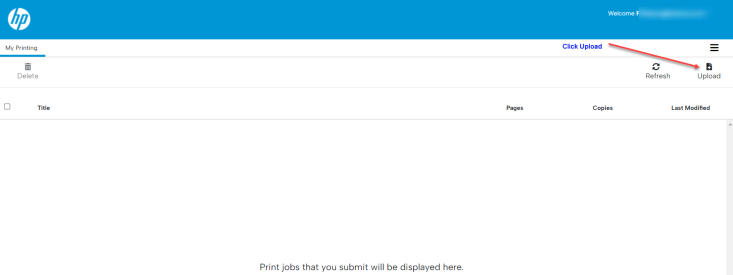
Browse to the location of the document you wish to upload.
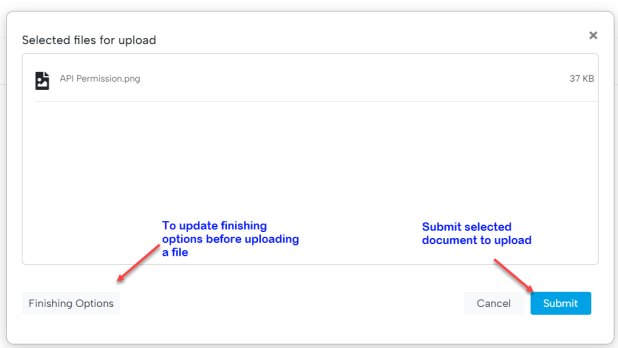
Optional: If you want to modify the print options (e.g., Color, Duplex, Letter), click the Finishing Options button.
To upload the document, click on the Submit button.
To release documents, users will need to walk up to a secure printer and use the generated passcode to release the document. Users can also release jobs by swiping their Card Readers.
For the supported file formats and size limits, see User Portal settings and limits.