Configure Delegate Print
Enabling Delegate Print requires two steps: turning on the feature in the web console and ensuring Print Scout is installed on user workstations.
Note: It is assumed that users are already registered in HP Secure Print.
Step 1: Enable Delegate Print in the web console
Navigate to Secure > Settings in the web console and enable Delegate Print.
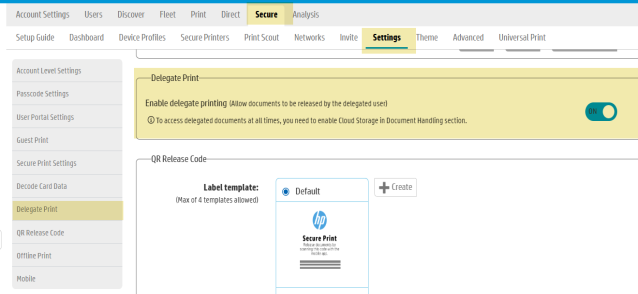
Note: When you enable or disable Delegate Print in the web console, the change is not automatically applied in the HP Secure Print desktop app. Users will need to click Refresh in the app for the change to take effect, or quit and reopen it.
Step 2: Install or update Print Scout on user workstations
The Print Scout component installs the HP Secure Print desktop app, which users need to manage delegates and release delegated documents. Install or update Print Scout on user workstations to a version that supports Delegate Print.
Related topics: